
Payments,
the way crypto
was meant to work.
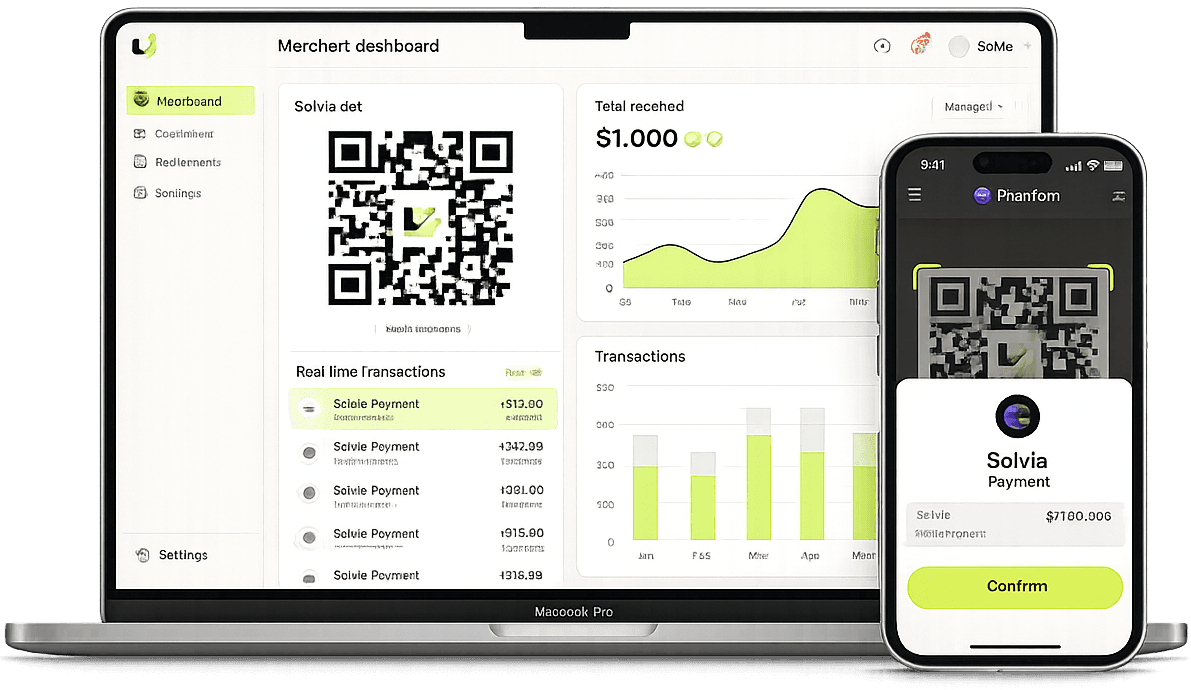
Solvia gives merchants a single QR code that accepts any Solana wallet. Transactions confirm on-chain in under a second and appear in your dashboard instantly.
How it works
Connect your wallet
Sign in with email or a Solana wallet via Privy. Your merchant account is created automatically — no forms, no friction.
Generate a QR code
Set an optional amount, copy the link or display the QR. Every code encodes your wallet address using the Solana Pay standard.
Get paid on-chain
Customers scan with Phantom, Solflare, or any Solana Pay–compatible wallet. The transaction settles on-chain in under a second.
Features
Real-time dashboard
Every incoming transfer appears in your dashboard automatically — no page refresh, no waiting.
Open-amount or fixed
Generate an open QR that the customer fills in, or lock an amount directly into the code.
Built for extensibility
A clean PaymentProvider abstraction means swapping in a payment gateway tomorrow requires zero UI changes.
Non-custodial
Solvia never touches your funds. Payments go directly from the customer's wallet to yours on-chain.
The flow
Ready to accept crypto?
Set up your Solvia merchant account in under a minute. No smart contracts to deploy, no custody risk.
Get started — it's free